
Registration
How do I register for an auction?
Register using KF Bidding mobile application. The free-to-use App can be downloaded from the App Store and Google Play.
After signing up to KF Bidding, register for the item you wish to bid for by clicking on Register to Bid button on the item tile.
I have not decided which item to bid for. Do I register for every item?
To make registration arrangements, contact Sharon Lee contact by Whatsapp or email. We require your name, email and mobile number to facilitate communications.
When is the registration deadline?
Registration closes on Friday, 25 July 2026, 2:00 PM.
I am attending the auction with my partner. Do we both need to register?
Only one person should register to bid. To admit your partner, send an email with your name and your partner’s name to secure seats.
I want to participate in the auction but I will not be in Singapore. How can I bid?
You can bid from anywhere with the app. When you register, select “Outside Singapore” as the place of bidding.
On auction day, join the auction like bidders at the auction hall to place your bids.
Registration Deposit
How much is the registration deposit?
The refundable registration deposit is based on the starting price of the auction item: 8% of starting price subject to a cap of SGD200,000, and 10% of starting price of SGD500,000 and below.
How do I pay the registration deposit?
During registration, a unique account number specific to the item will be assigned to you. Payment details will be displayed on the app screen and sent to your email address registered to the app. Registration deposit payment must be made from a deposit account.
When will registration deposit be refunded?
Registration deposit will be refunded within three (3) business days after the auction to non-successful bidders. The refund will be made to the originating payment account.
For the Successful Bidder, the registration deposit will be retained as partial payment for the purchase. The registration deposit will not be refunded to the Successful Bidder.
Bidding
When can I join the auction?
You can join the auction from from the app 15 minutes before the scheduled start time of the auction.
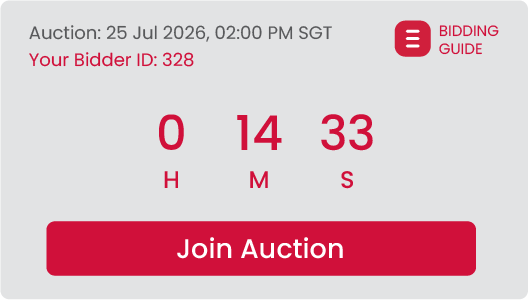
Enter the one-time pin (OTP) sent to your registered mobile number to be admitted to the virtual auction hall.
Note that your unique Bidder ID is displayed at the top left-hand side of the auction banner below the auction date time.
When can I start bidding?
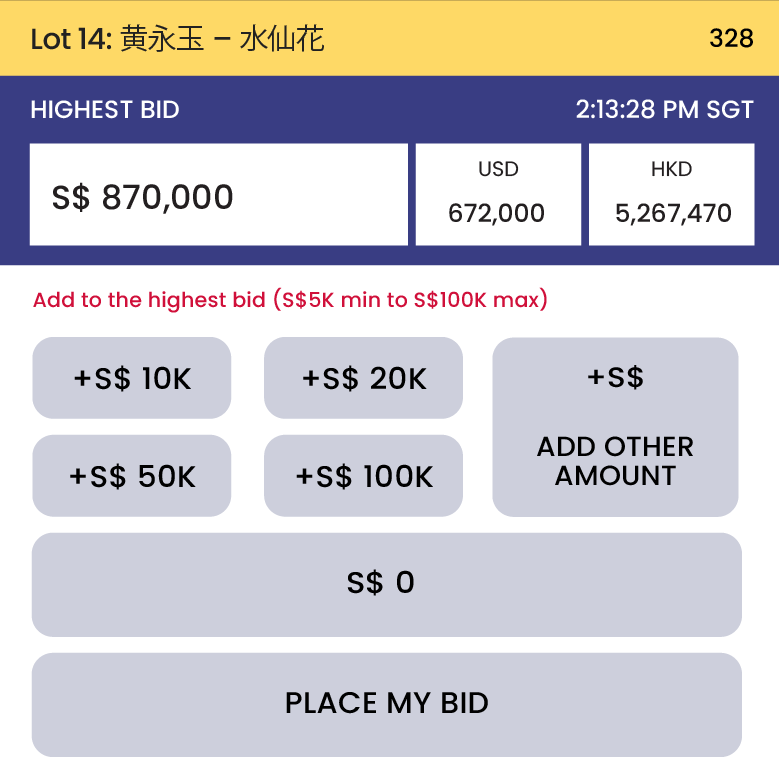
You can start bidding when a keypad is displayed on your app screen. The keypad appears when the auction for the item that you have registered to bid for starts.
What are the minimum and maximum bid increments?
The minimum and maximum bid increments set the upper and lower limits a bidder can add to the current highest bid. It varies for each item. You may add any amount to the current highest bid between the minimum and maximum increments using one of the pre-set bid increment buttons or adding your preferred amount by using the “Add Other Amount” button.
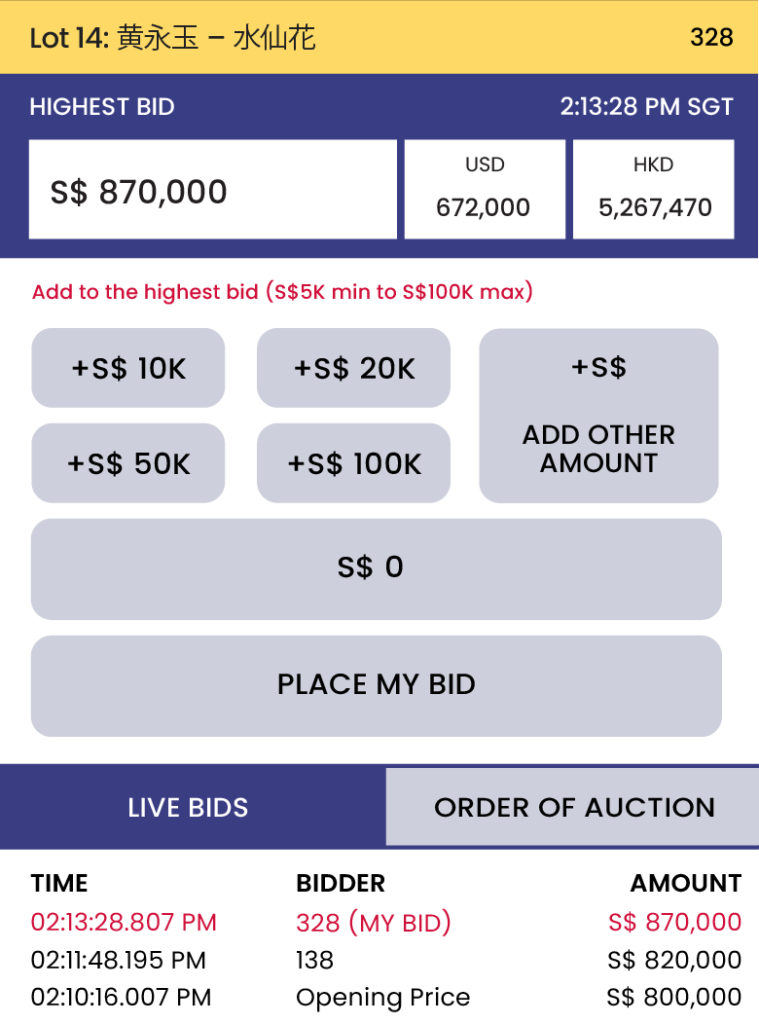
How will I know my bid has been accepted?
Your accepted bid will be displayed in red under the “Live Bids” at the bottom of the app screen.
Winning and Collection
I am the Successful Bidder. How do I pay for the item?
As the Successful Bidder, your app screen will display a message to confirm that you have won the item. An email will be sent to the email address you registered on the app. Your invoice will be provided as an email attachment.
Proceed to make the payment for the item at the auction hall or through funds transfer.
When can I collect the item?
Once you have made payment, you may arrange to collect the item at Singapore Palace Museum. Payment must be made within seven (7) days as invoiced.
System Requirement
What is the mobile device requirement to use KF Bidding mobile app?
KF Bidding m app requires iOS 14.0 or later, or Android 12.1 (SDK 32) or higher.